Understanding Device Limits When Using Africa Travel Safety Apps
Travel across Southern and East Africa often means moving through remote parks, rural roads, islands, and areas where mobile signal is inconsistent. Today’s travellers rely heavily on travel safety apps to access emergency support, location sharing, document storage, and security alerts. But one of the most common questions remains: Will the app work on my phone?
This 2026 device compatibility guide explains how modern Africa travel safety apps operate across Android and Apple devices, what system requirements you need, and how these apps behave in low-signal environments. It is written for travellers, families, tour guides, and operators who need reliable emergency tools no matter what device they carry.
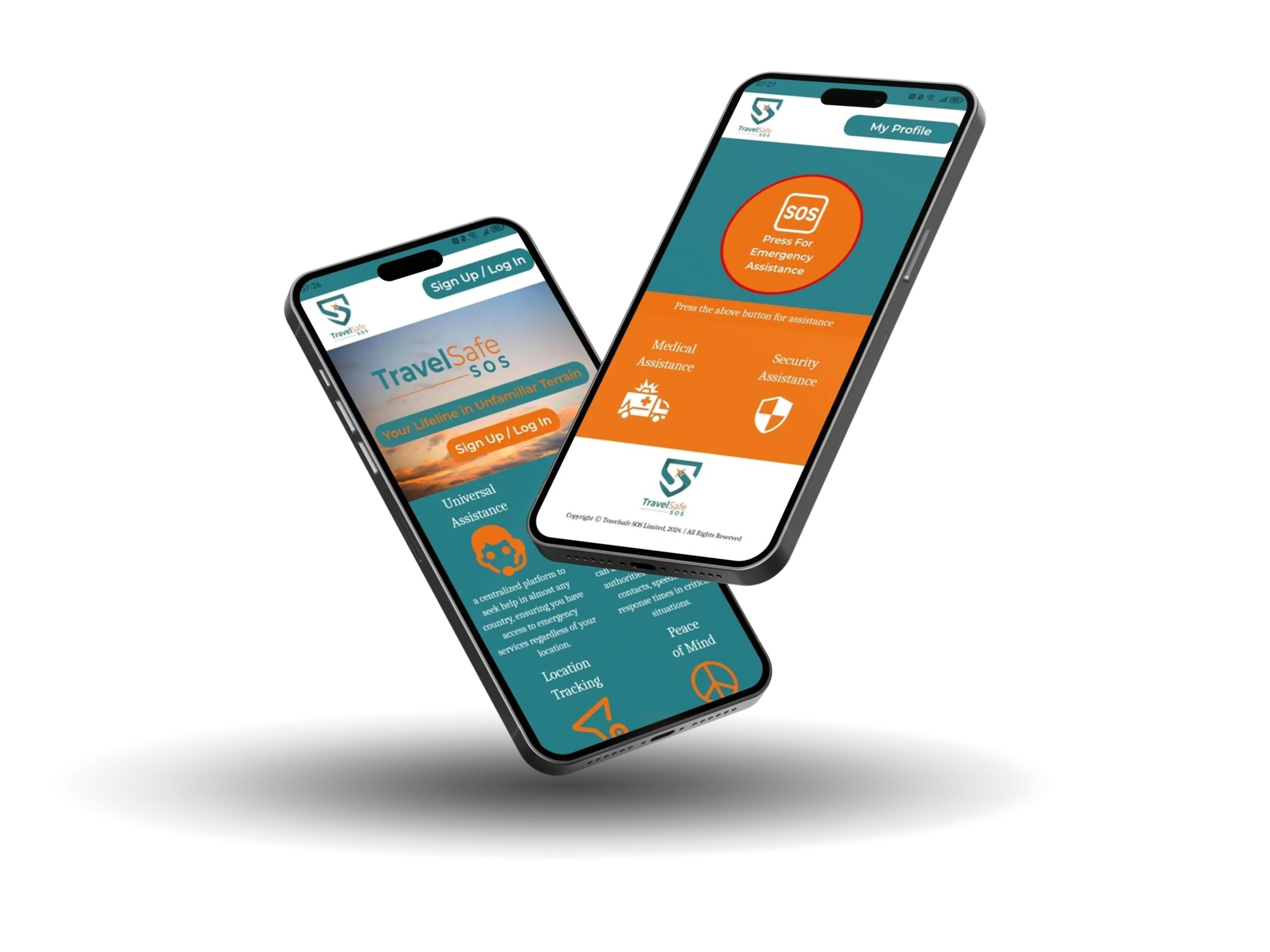
While several platforms exist, TravelSafe SOS is used here as an example, as its compatibility mirrors most leading emergency travel apps designed for the African environment.
Which Devices Are Compatible With Africa’s Leading Travel Safety Apps?
Modern travel safety apps must work across a wide range of devices, especially for travellers exploring Southern and East Africa. The TravelSafe SOS app is designed for broad compatibility on both Android and Apple systems, ensuring travellers, families, tour guides, and operators can access emergency support wherever they are. Whether you rely on a smartphone, tablet, or newer Apple device, the app delivers reliable performance across diverse hardware, helping protect you during remote, cross-border, or multi-day journeys across Africa.
Here is an updated overview of the operating systems and device requirements needed to install and run the TravelSafe SOS app effectively on your mobile device.
Android Compatibility in 2026
Most travel safety apps built for Africa support Android OS 7.0 and later, which covers the majority of global smartphones still in circulation. This includes devices from:
• Samsung
• Huawei
• Xiaomi
• Nokia
• Oppo
• Vivo
• Google Pixel
• Motorola
Travellers using Android devices older than 2016 may still run emergency apps, but features like background updates or real-time GPS may be limited.
To ensure optimal performance when travelling in Africa:
• keep your Android system updated
• enable background activity for the app
• allow location permissions
• disable overly aggressive battery-saving modes
Since Android devices dominate the market in Africa, travel safety apps are built to perform well even on lower-cost or older models.
TravelSafe SOS works with Android OS version 7.0 and higher. That means the app is compatible with more than 17,500 Android devices globally.Apple Compatibility in 2026
Most modern travel safety apps now require iOS 15.1 or later, making them compatible with:
• iPhone 6s and newer
• iPod Touch (iOS 15.1+)
• Mac devices running macOS 12.0+ with Apple M-series chips
• Apple Vision Pro and visionOS devices
Because iPhones handle background processing more consistently than some Android brands, performance tends to be stable, even in low-signal periods. For emergency tools to function properly:
• enable “Always Allow” location access
• allow background app refresh
• keep notifications on
• activate Precise Location
These settings ensure an emergency alert includes your exact coordinates—a crucial requirement in remote regions.
Users can download the TravelSafe SOS app via the Apple App Store. We recommend enabling location services, push notifications, and background app refresh for full functionality during an emergency.How Travel Safety Apps Behave in Low-Signal or Offline Conditions
Africa travel safety apps are designed with the continent’s connectivity challenges in mind. When your phone loses data or enters a weak-signal zone, modern apps use a fail-safe process:
• emergency activations are queued and sent as soon as signal returns
• the app continues trying to transmit your location
• background services remain active if permissions are correctly set
• your most recent GPS position is captured before signal drops
This makes the tools reliable for travel through game reserves, islands, mountains, or remote border posts.
Why Compatibility Standards Are Evolving for 2026 Travel
Technology and travel patterns are shifting. Several trends are influencing how safety apps are built:
• eSIM adoption is rising among international travellers
• newer phones now support satellite SOS messaging
• many African countries are adopting eVisas and eTAs, requiring digital accessibility
• manufacturers are tightening background-app restrictions
• travellers expect offline document storage and low-data emergency modes
This means reliable travel safety apps must work across old and new devices, support offline behaviour, and integrate with modern identity and travel systems.
How to Optimize Your Device for Emergency Reliability
To ensure your travel safety app works instantly when you need it:
• allow always-on location access
• enable background activity
• turn on push notifications
• keep the app updated
• avoid force-closing the app in remote regions
These steps apply to all major emergency platforms, not only TSOS.
Final Thoughts – Safety Depends on Compatibility, Not Brand
Your emergency travel app is only effective if it works on your device at the moment you need it. That’s why compatibility across older Android phones, modern iPhones, and even laptops or visionOS devices matters in 2026.
Whether you’re travelling through Namibia’s desert dunes, Kenya’s highlands, Tanzania’s national parks, or Mozambique’s islands, a fully compatible travel safety app gives you a reliable way to signal for help, share your location, and access assistance fast.
TravelSafe SOS is one example of an Africa-focused emergency app designed around these compatibility standards—but the principles apply to any safety platform you choose.